

How Sharing Works
Each property has a unique protected URL that you can share with buyers. This link:- Allows buyers to view the full property details
- Tracks that the lead came from you
- Works without requiring buyer login
- Remains active as long as the property is available
Getting a Shareable Link
From the Property Drawer
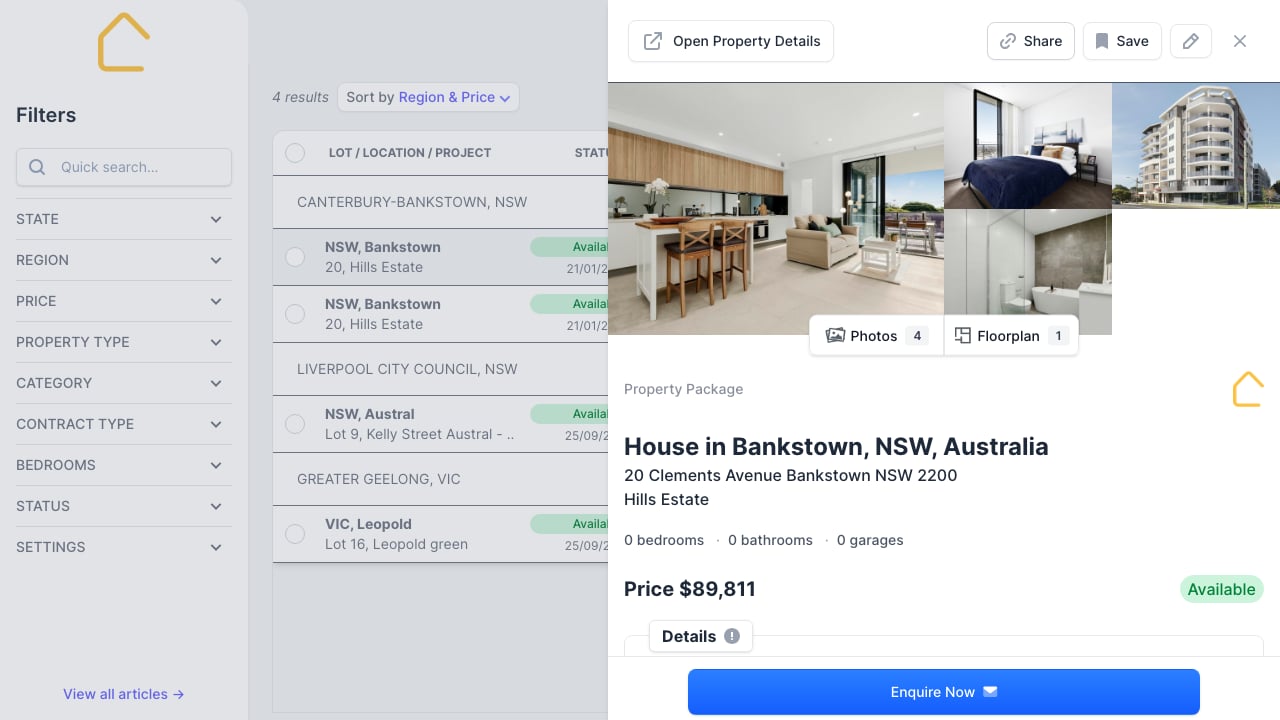
- Click on any property in the listings table
- The drawer opens with property details
- Find the shareable URL in the text field at the top
- Click Share to copy or share the link
From the Property Detail Page
- Open the full property detail page
- The shareable URL appears at the top
- Copy the URL or click Share
Shareable URL Format
Links follow this format:Sharing Methods
Click the Share button to:- Copy to clipboard: Paste into emails, messages, or documents
- Share via apps: Use your device’s native share options (mobile)
What Buyers See
When a buyer opens the link, they see:- Property photos and floorplans
- Full pricing breakdown
- Inclusions list
- Location map
- Download brochure option
- Enquiry form (linked to you as the agent)
Best Practices
- Share protected links: Use the protected URL, not the direct property page
- Track your shares: Links are associated with your account
- Follow up: Reach out to buyers after sharing
- Update buyers: Let them know if status changes (e.g., property goes under offer)
Tips
- Protected links ensure you get credit for the referral
- Buyers can enquire directly from the shared link
- Share multiple properties by sending multiple links
- Links work on mobile and desktop