

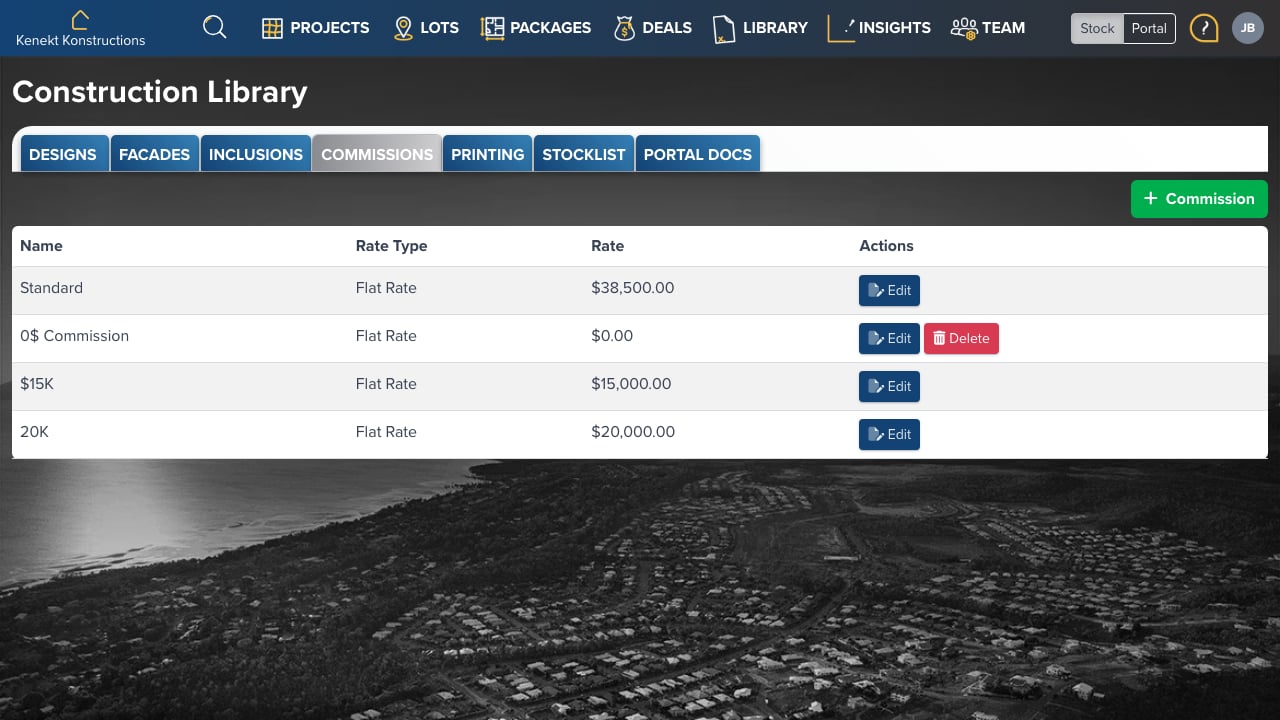
Commission List
The table displays:- Name: Template name (e.g., Standard, $15K, 20K)
- Rate Type: Flat Rate or Percentage
- Rate: The commission amount or percentage
- Actions: Edit or Delete the template
Adding a Commission Template
- Click + Commission in the top right
- Enter a name for the template
- Select the rate type (Flat Rate or Percentage)
- Enter the rate amount
- Save the template
Using Commission Templates
Commission templates can be applied at multiple levels:- Design Level: Default commission for all packages using a floor plan
- Package Level: Override the design commission for specific packages
- Agent Level: Custom rates for individual agents