

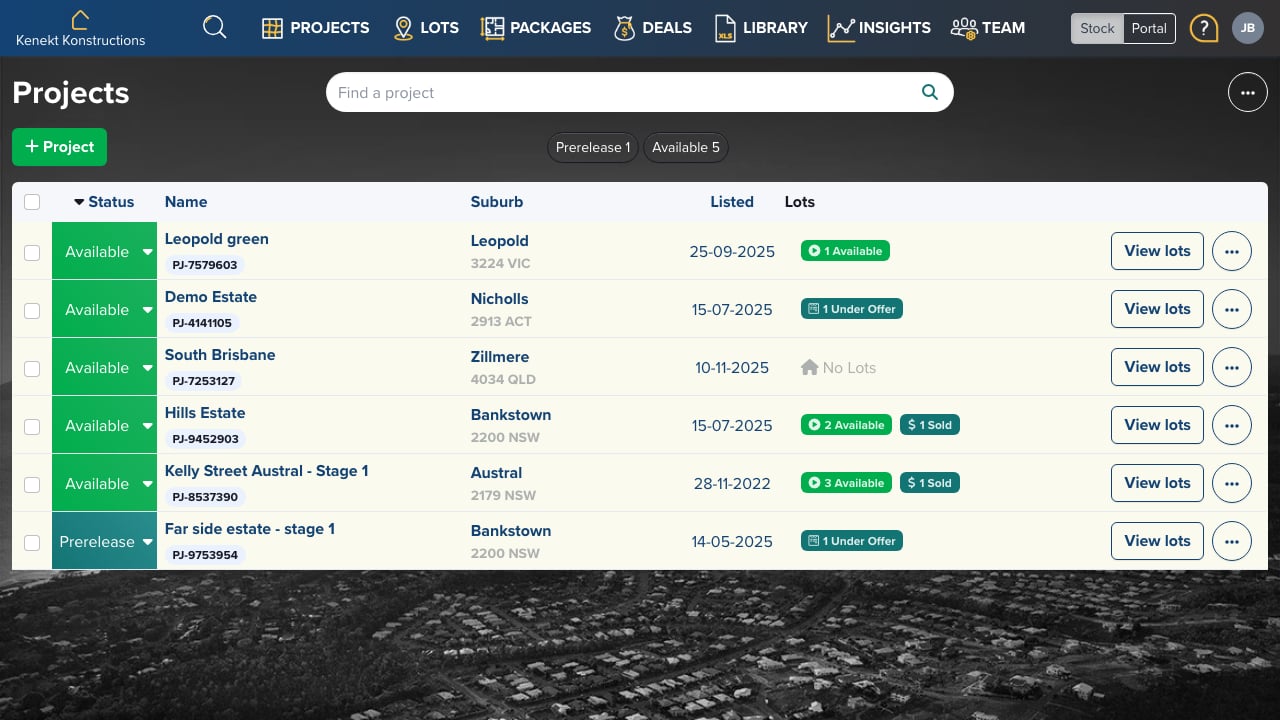
Creating a New Project
- Click the + Project button in the top right
- Enter the project name and suburb
- Set the project status (Prerelease or Available)
- Add project details like land size, covenants, and media
Project List View
The projects table shows:- Status: Prerelease (coming soon) or Available (on market)
- Name: Project name with unique ID (e.g., PJ-7579603)
- Suburb: Location with postcode and state
- Listed: Date the project was created
- Lots: Count of lots by status (Available, Under Offer, Sold)
Filtering Projects
Use the status buttons to filter:- Prerelease: Projects not yet released to market
- Available: Active projects ready for sale