

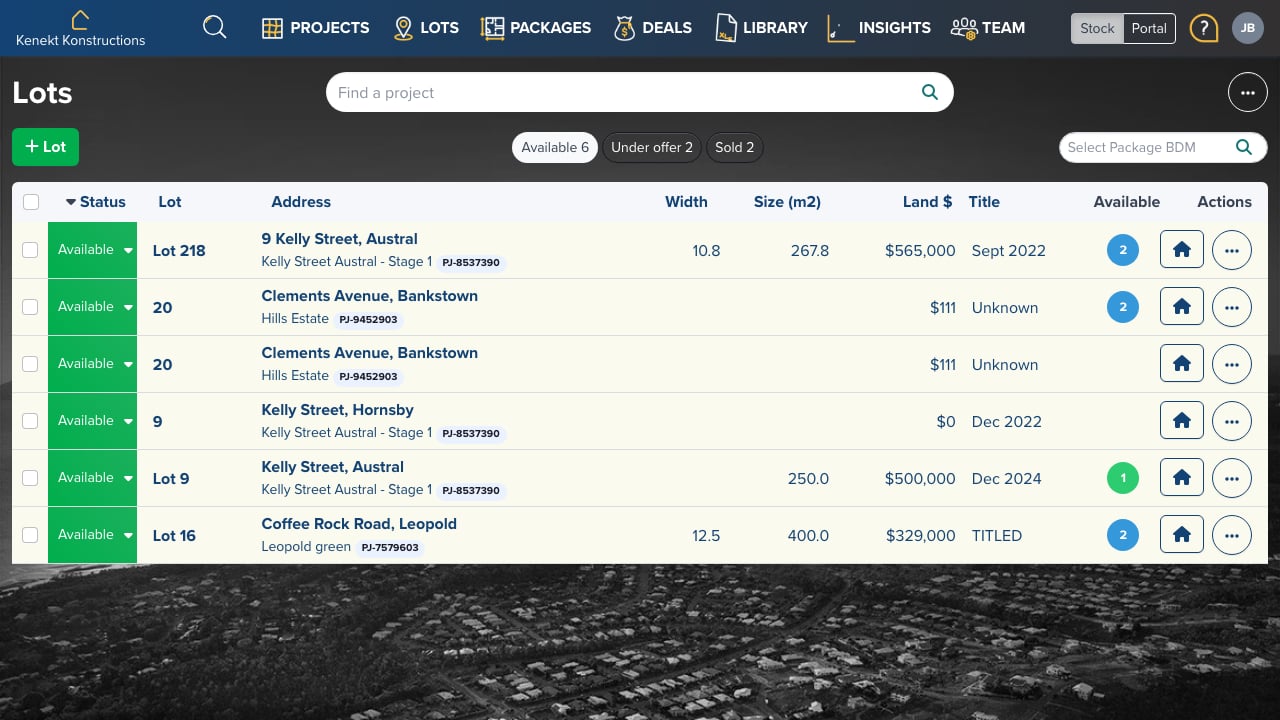
Creating a New Lot
- Click the + Lot button in the top right
- Select the project this lot belongs to
- Enter lot details: number, address, dimensions, and pricing
- Set the title/registration date
Lot List View
The lots table displays:- Status: Available, Under Offer, or Sold
- Lot: Lot number (e.g., Lot 218)
- Address: Street address and project name
- Width: Land frontage in metres
- Size (m2): Total land area
- Land $: Land price
- Title: Expected or actual title date
- Available: Number of packages on this lot
Filtering Lots
Filter by status using the buttons:- Available: Lots ready for sale
- Under Offer: Lots with pending sales
- Sold: Completed sales