

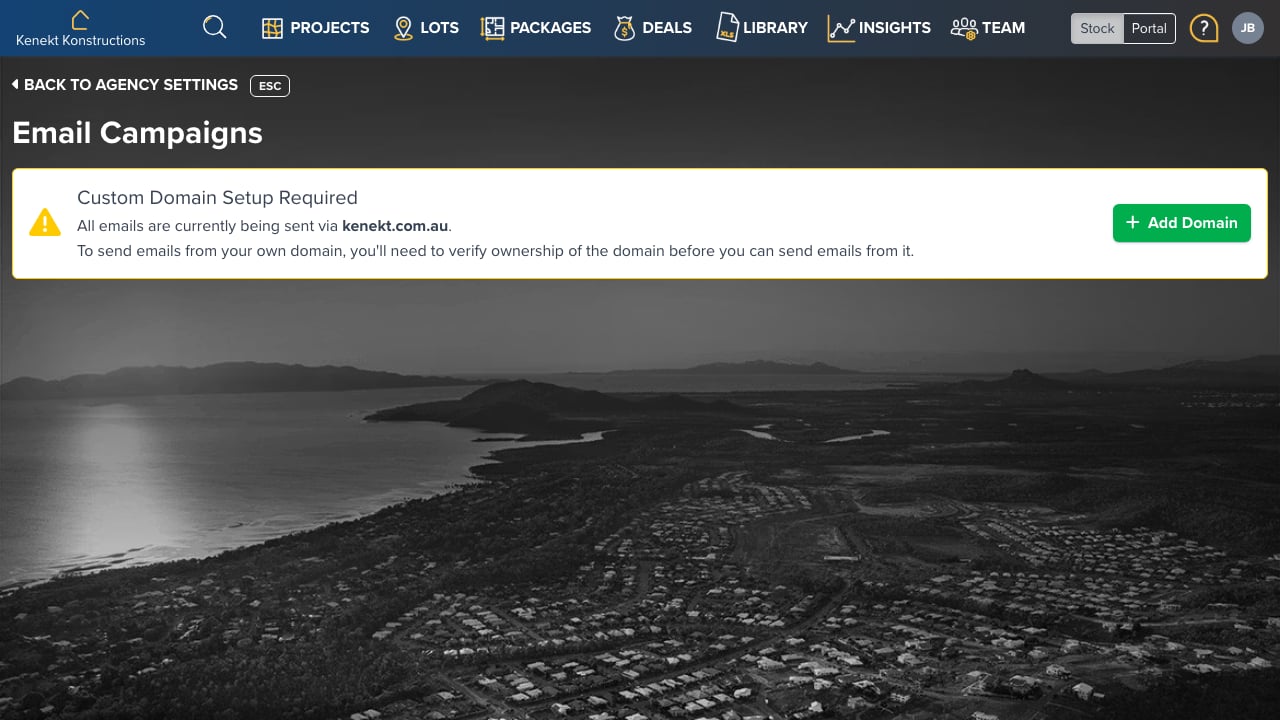
Custom Domain Setup
By default, emails are sent fromkenekt.com.au. To send from your own domain:
- Click + Add Domain
- Enter your domain (e.g.,
yourcompany.com.au) - Add the required DNS records to verify ownership
- Once verified, emails will be sent from your domain
Why Use a Custom Domain?
- Brand Recognition: Emails appear to come from your company
- Deliverability: Better inbox placement with authenticated domain
- Trust: Agents recognise your domain and are more likely to open emails
Email Types
Kenekt sends various automated emails:- Agent Invitations: When you invite new agents
- Hold Notifications: When packages are held or released
- Enquiry Confirmations: When agents submit enquiries
- Status Updates: When deal stages change
- Alert Emails: From saved search notifications
DNS Records Required
To verify your domain, you’ll need to add:- SPF Record: Authorises Kenekt to send on your behalf
- DKIM Record: Cryptographic signature for email authentication
- CNAME Record: For tracking and verification