

Checking Agent Status
Navigate to Team Members via the settings menu, then select the Agents tab to review the agents and agencies you have added. Here you can check their activation status and, if active, what date they last logged in.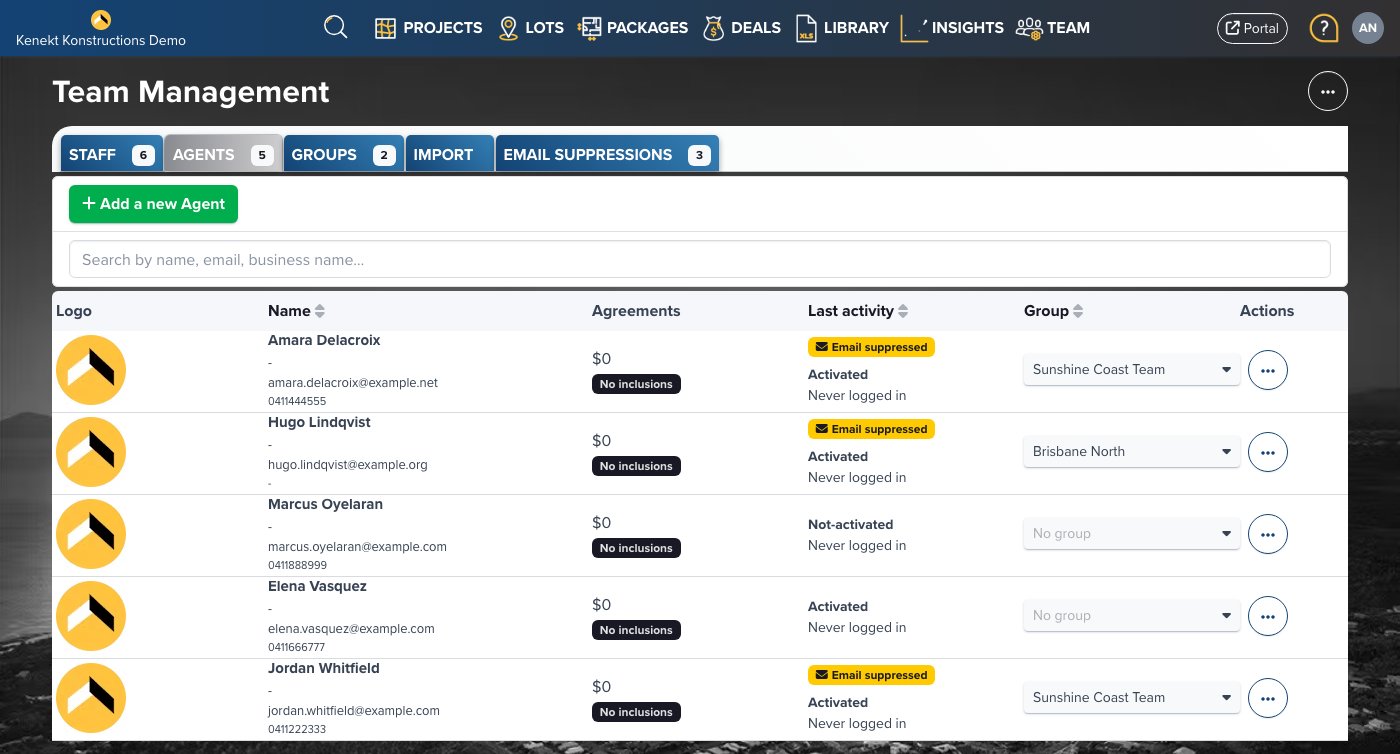
Resending Invitations
For agents marked “Not-activated”:- Click the three-dot menu and select Edit Info
- Access the Invitation Email tab
- Click Send Activation Email
Alternative Approaches
- Email agents your portal URL and instruct them to use the Forgot Password pathway
- Direct agents to check spam filters if they didn’t receive the invitation
- Share a private stocklist link that bypasses login (though with some feature limitations)