

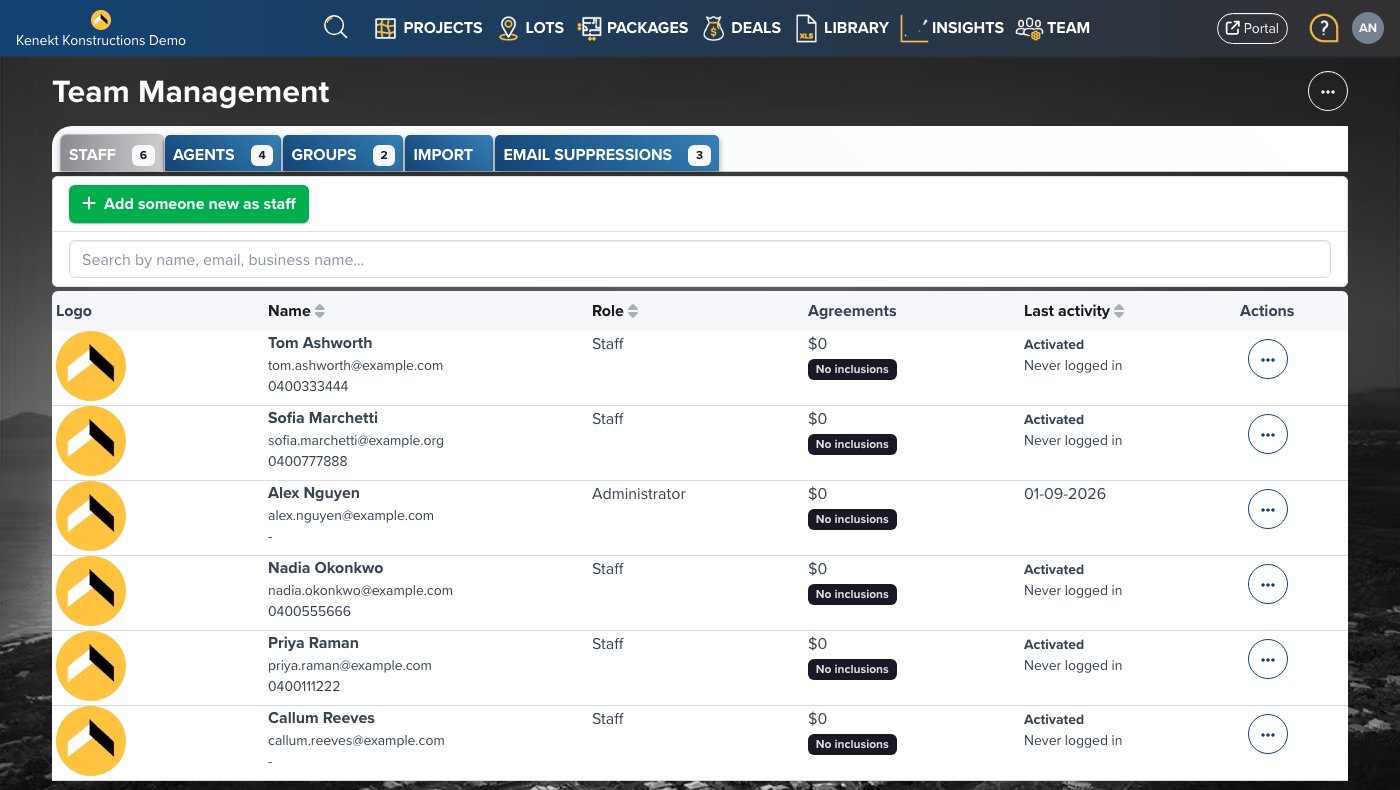
Staff List
The Staff tab shows your internal team:- Logo: User profile image
- Name: Staff member name and email
- Role: Permission level (Admin or Staff)
- Agreements: Commission rate assigned
- Last Activity: Most recent login
- Actions: Edit user details
Adding Staff
- Navigate to Team Management → Staff tab
- Click + Add Staff (if available) or invite via email
- Enter their name and email address
- Assign a role (Admin or Staff)
- Set their commission agreement if applicable
Staff vs Admin Roles
- Admin: Full access including user management and settings
- Staff: Access to stock management but limited admin capabilities
Staff Permissions
Staff members can:- Manage projects, lots, and packages
- View and update deals
- Access the construction library
- Use the portal
- Remove other staff members
- Modify agency settings
- Export full user lists