> ## Documentation Index
> Fetch the complete documentation index at: https://help.kenekt.app/llms.txt
> Use this file to discover all available pages before exploring further.
# Individual Buyers
> Complete a digital EOI for one to four individual buyers: enter their details, upload their IDs, review and submit, then track it in My Deals.
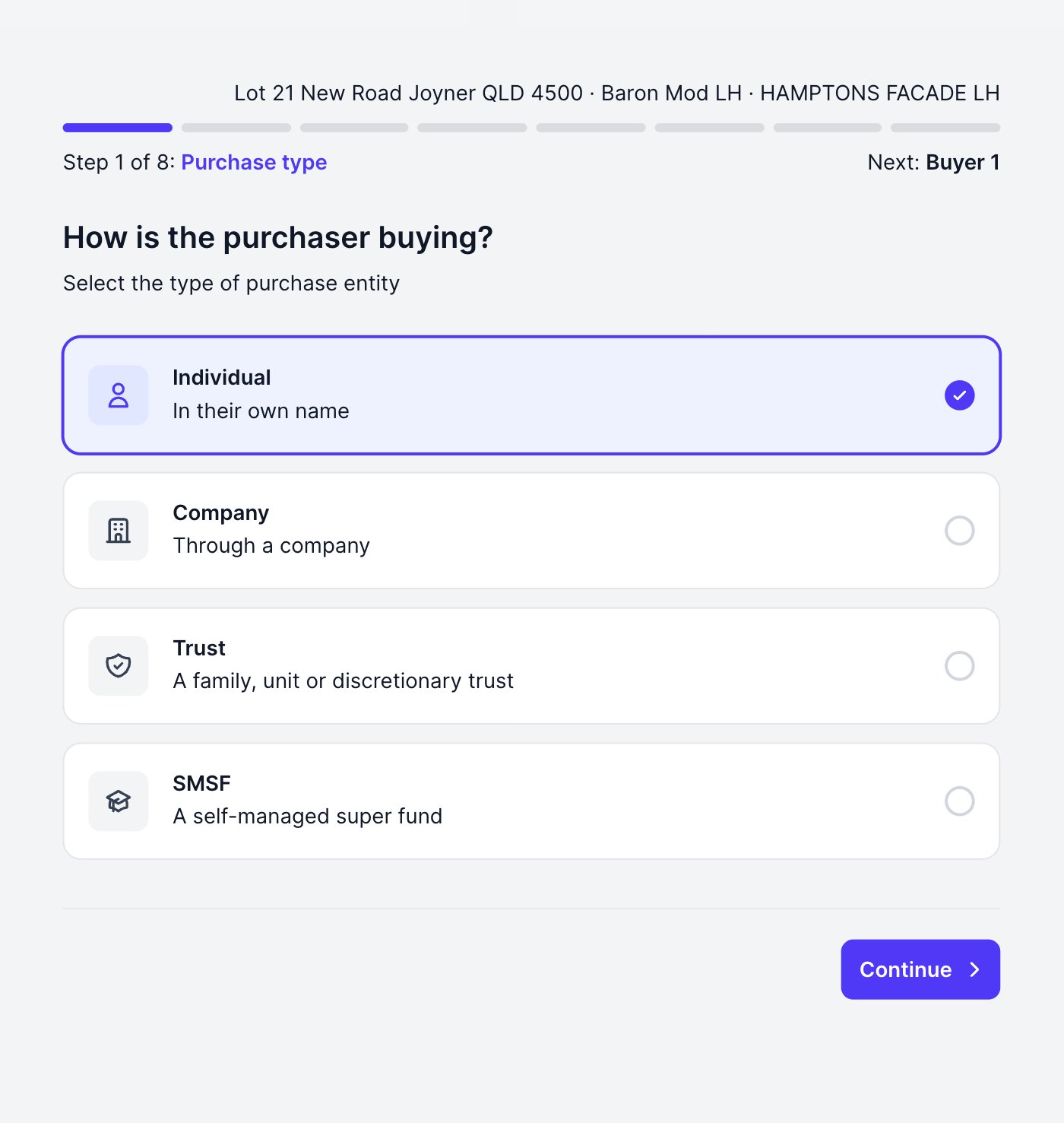
Follow this guide after [starting the EOI](/help-guide/06-agent-portal/13-digital-eoi) and choosing **Individual** on the purchase structure page.
Prefer a printable version? [Download the agent guide (PDF)](https://portal.kenekt.com.au/downloads/kenekt-digital-eoi-agent-pack-individuals.pdf).
 ## Enter the buyers
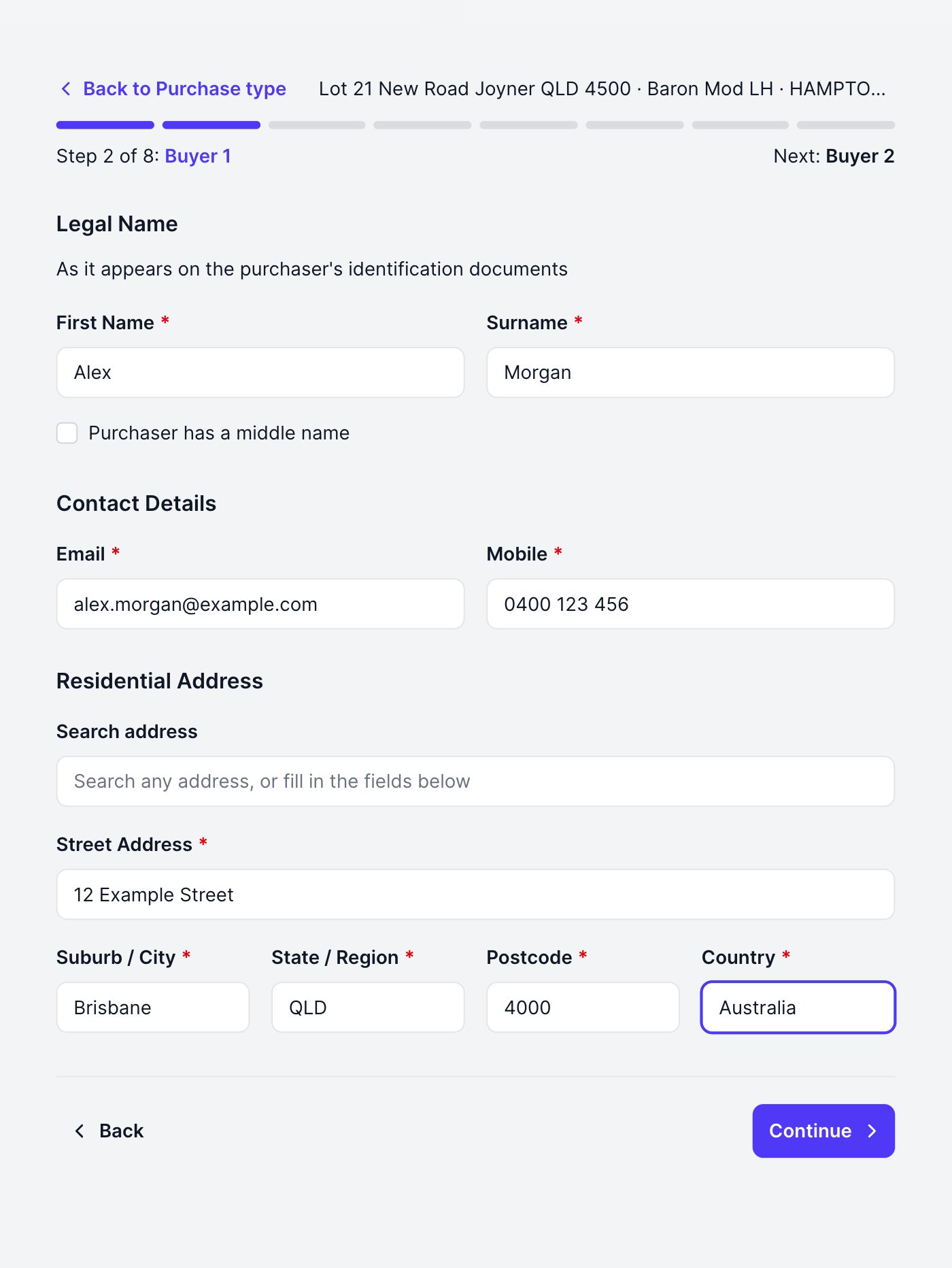
Enter the first buyer's legal name exactly as it appears on their ID, plus their email, mobile and residential address. The form saves as you go, so you can leave and resume any time.
## Enter the buyers
Enter the first buyer's legal name exactly as it appears on their ID, plus their email, mobile and residential address. The form saves as you go, so you can leave and resume any time.
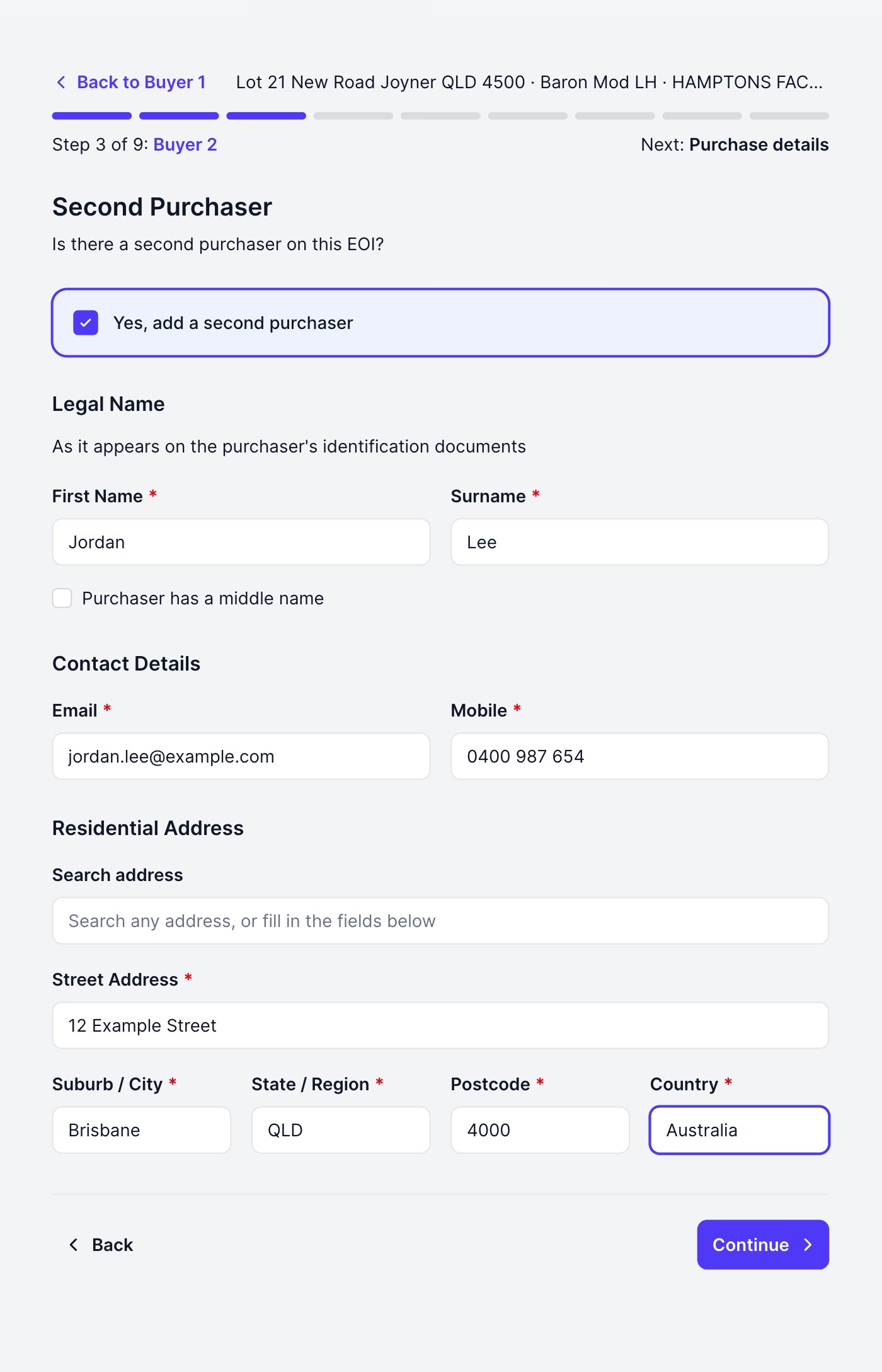
 Need a second buyer? Tick **Yes, add a second purchaser** and the same fields appear. Up to four individual buyers are supported; leave the box unticked for a single buyer.
 ## Ownership
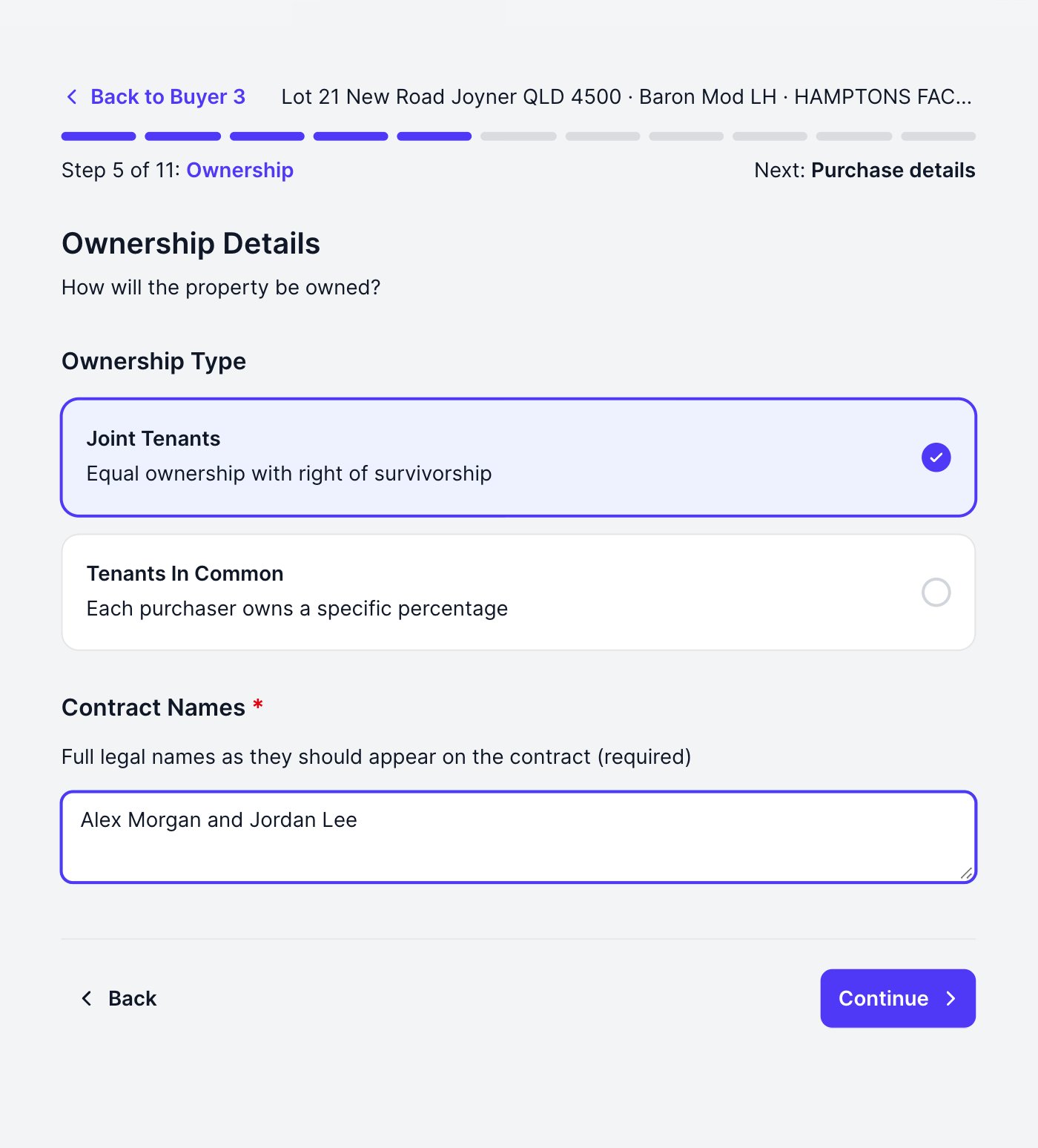
With more than one buyer you set the ownership split: **Joint Tenants**, or **Tenants In Common** with percentages that must total 100. The contract names print on the EOI record exactly as you enter them.
## Ownership
With more than one buyer you set the ownership split: **Joint Tenants**, or **Tenants In Common** with percentages that must total 100. The contract names print on the EOI record exactly as you enter them.
 ## Purchase details, finance and advisors
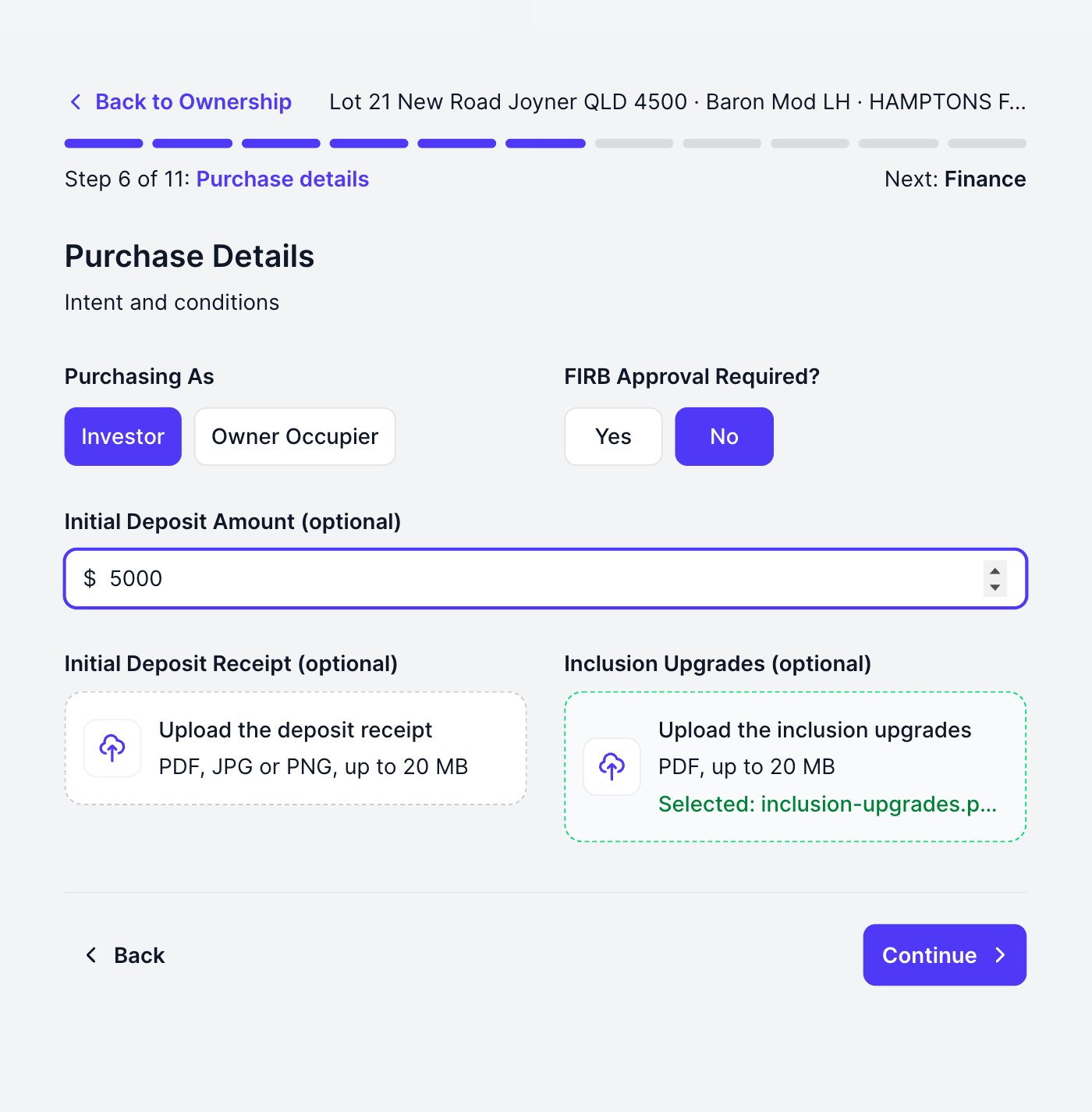
* **Details**: Investor or Owner Occupier, first-home and FIRB flags, then the Initial Deposit: the amount and a receipt upload, both optional. You can also attach an inclusion upgrades PDF here. When you pick a file the box confirms the selection, and it attaches when you continue
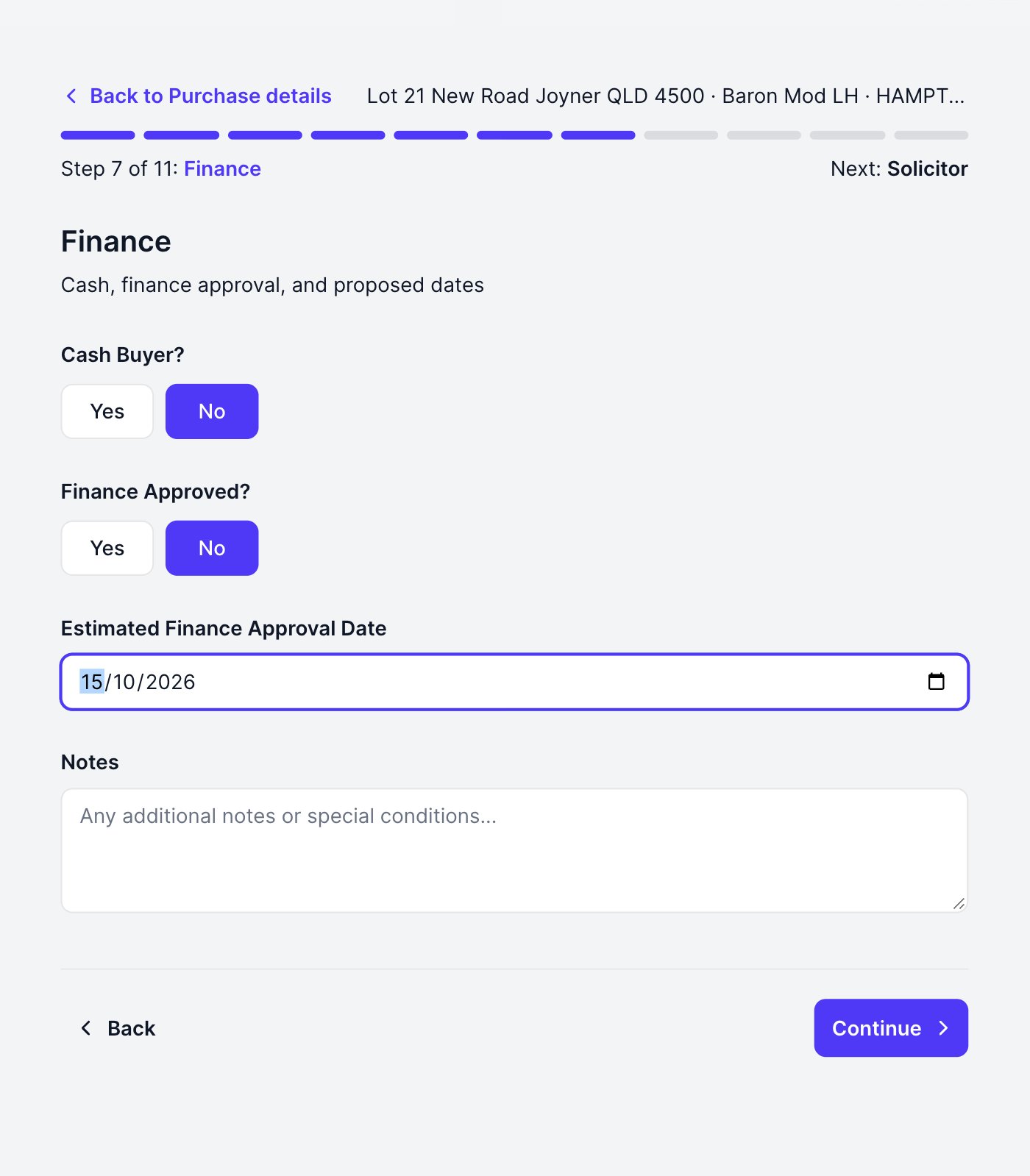
* **Finance**: cash buyer, or the finance position: approved (attach the approval) or an estimated approval date
* **Solicitor and Broker**: company, contact, address, phone and email for each
## Purchase details, finance and advisors
* **Details**: Investor or Owner Occupier, first-home and FIRB flags, then the Initial Deposit: the amount and a receipt upload, both optional. You can also attach an inclusion upgrades PDF here. When you pick a file the box confirms the selection, and it attaches when you continue
* **Finance**: cash buyer, or the finance position: approved (attach the approval) or an estimated approval date
* **Solicitor and Broker**: company, contact, address, phone and email for each
 ## Upload each buyer's ID
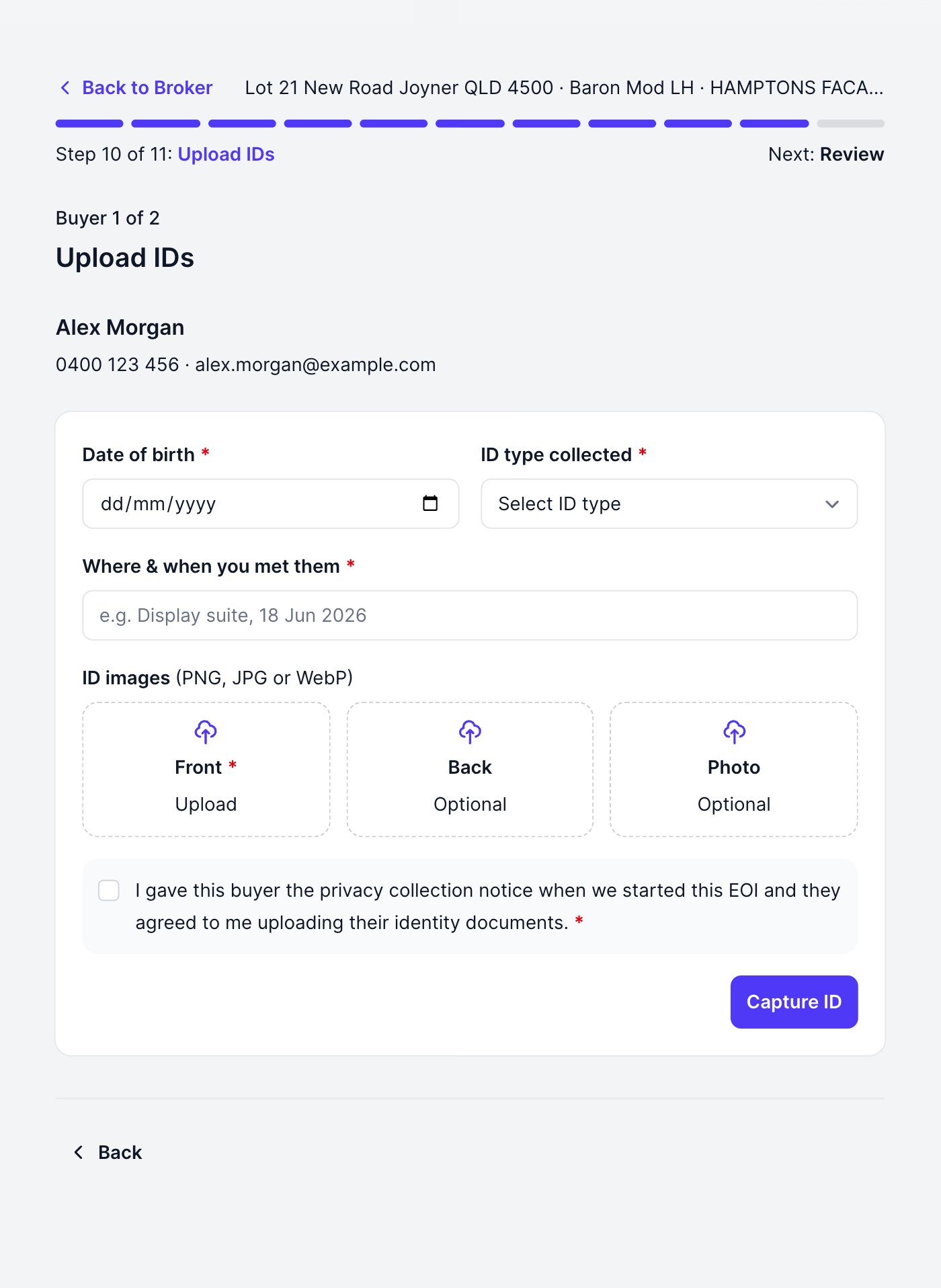
One buyer at a time: enter the date of birth and the ID type from the sighted document, attach the images, and note where and when you met the buyer. A licence needs front and back; a passport needs the photo page only. We do not ask for the document number.
Before you upload, tick the confirmation that you gave this buyer the privacy notice when you started the EOI and that they agreed. Without that tick the upload is refused, so there is no way to record an ID without a record of consent.
**Capture ID** saves that buyer and moves to the next.
## Upload each buyer's ID
One buyer at a time: enter the date of birth and the ID type from the sighted document, attach the images, and note where and when you met the buyer. A licence needs front and back; a passport needs the photo page only. We do not ask for the document number.
Before you upload, tick the confirmation that you gave this buyer the privacy notice when you started the EOI and that they agreed. Without that tick the upload is refused, so there is no way to record an ID without a record of consent.
**Capture ID** saves that buyer and moves to the next.
 The documents you upload are stored with the EOI and reviewed by your account manager, so image quality matters: all four corners visible, no glare, details readable.
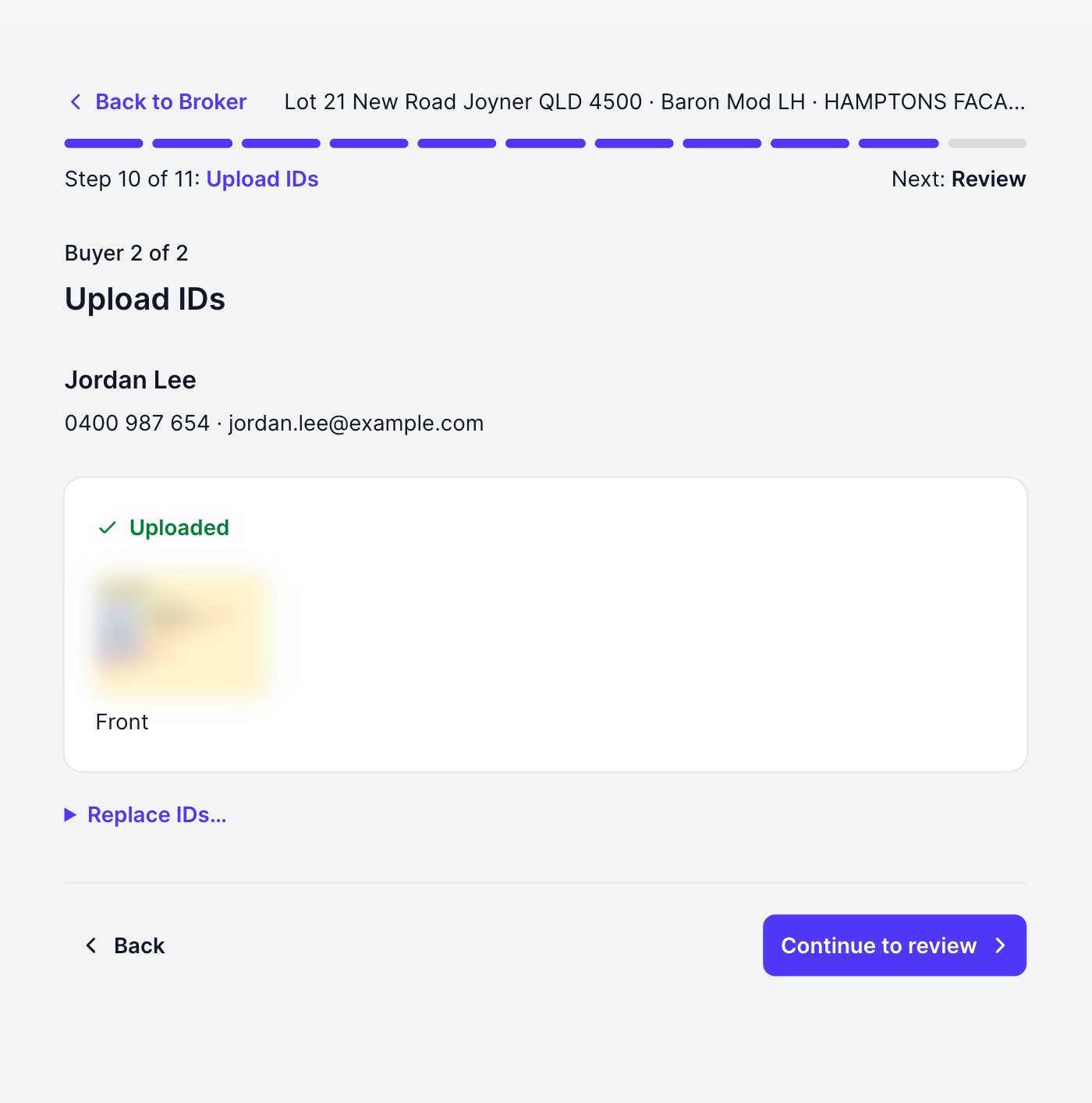
Once every buyer shows a tick, **Continue to review** unlocks.
Every buyer's ID must be on file before you can submit. The review page names anyone still missing one and keeps **Submit** switched off until they are all uploaded, so collect the IDs when you meet your buyers rather than promising them later.
The documents you upload are stored with the EOI and reviewed by your account manager, so image quality matters: all four corners visible, no glare, details readable.
Once every buyer shows a tick, **Continue to review** unlocks.
Every buyer's ID must be on file before you can submit. The review page names anyone still missing one and keeps **Submit** switched off until they are all uploaded, so collect the IDs when you meet your buyers rather than promising them later.
 ## Review and submit
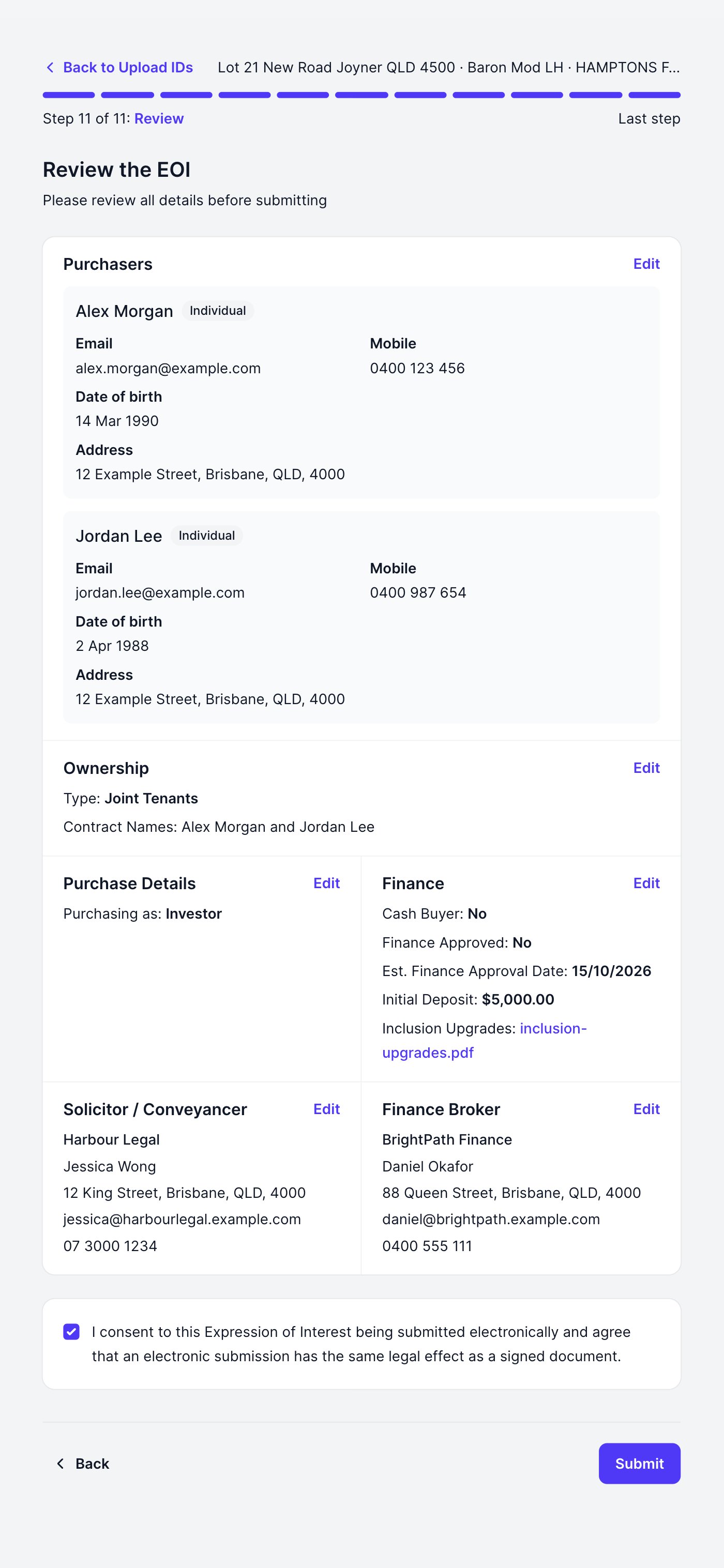
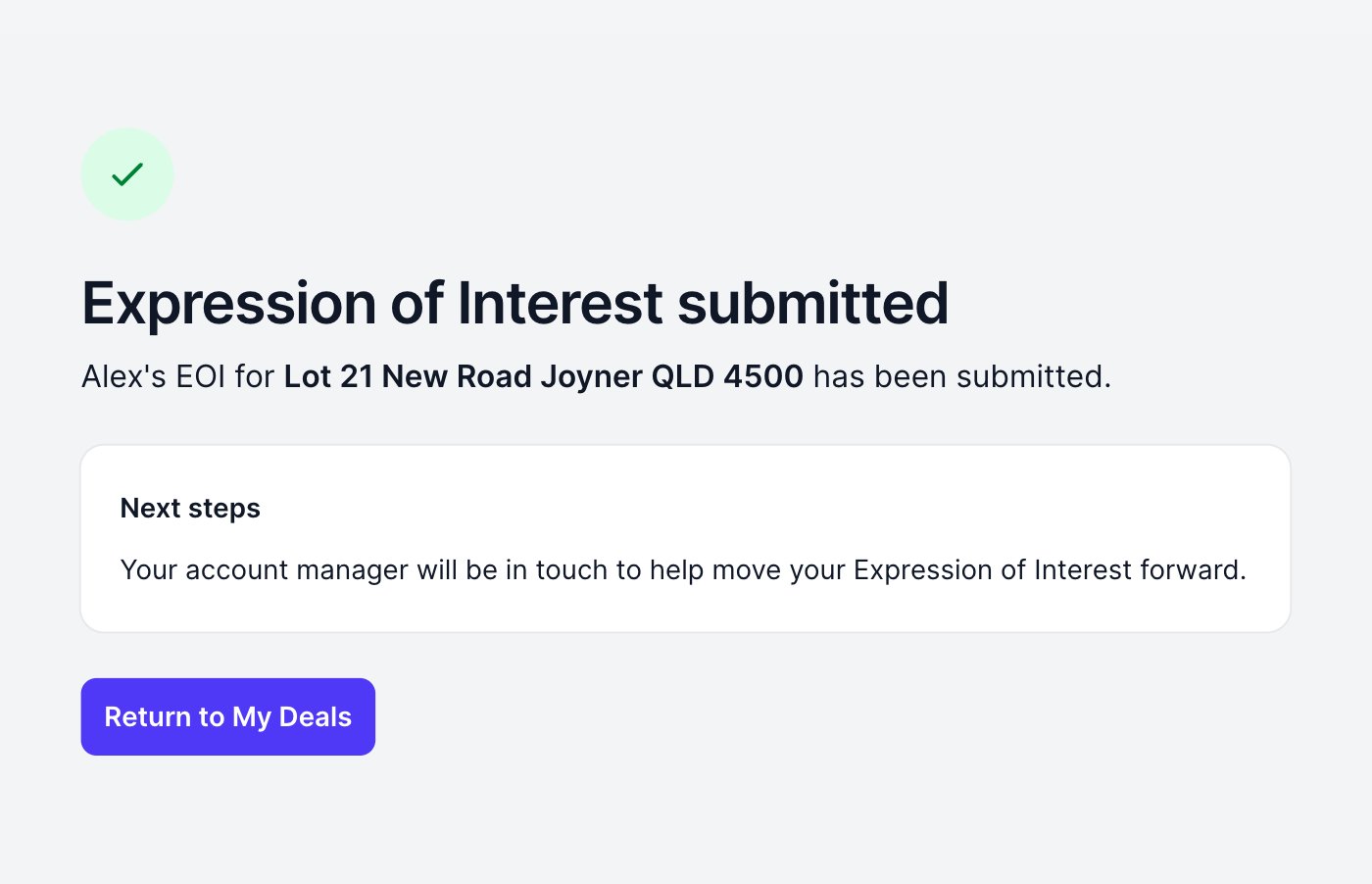
Everything you entered appears on one page, each section with an **Edit** link back to its step. Tick the electronic-submission consent, then **Submit**. If **Submit** is greyed out, an ID is missing: the page names the buyer.
## Review and submit
Everything you entered appears on one page, each section with an **Edit** link back to its step. Tick the electronic-submission consent, then **Submit**. If **Submit** is greyed out, an ID is missing: the page names the buyer.
 ## Track it in My Deals
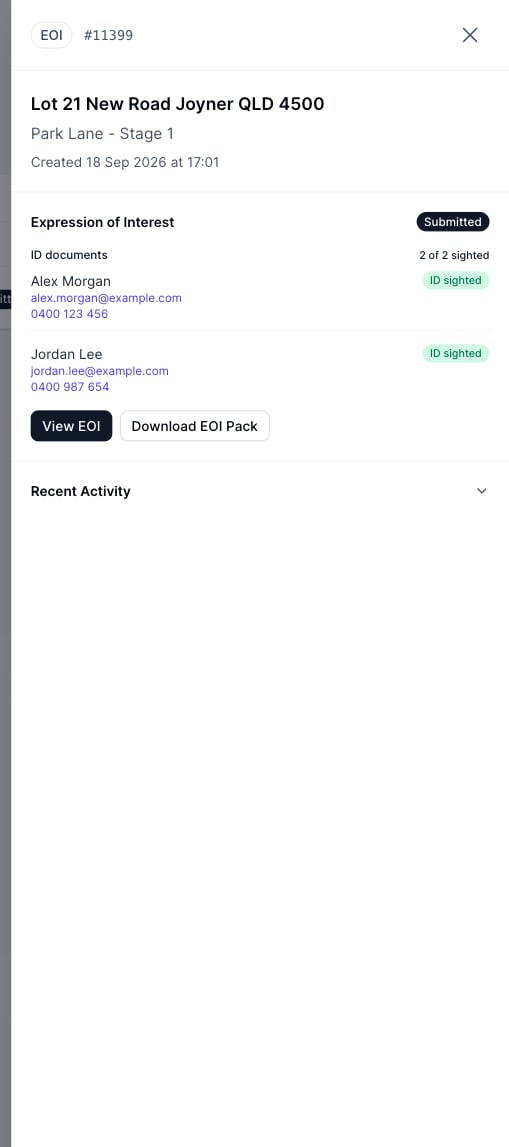
Open [My Deals](/help-guide/06-agent-portal/09-my-deals) and click your deal to open the drawer: it shows the live EOI status, **View EOI**, and **Download Expression of Interest Pack**: the full record with the IDs you collected, as one PDF. Every download is recorded on the deal's disclosure log.
## Track it in My Deals
Open [My Deals](/help-guide/06-agent-portal/09-my-deals) and click your deal to open the drawer: it shows the live EOI status, **View EOI**, and **Download Expression of Interest Pack**: the full record with the IDs you collected, as one PDF. Every download is recorded on the deal's disclosure log.
 You are emailed automatically when the EOI is started, submitted, accepted (the package goes Under Offer), or not proceeding.
This documentation is built and hosted on [Mintlify](https://mintlify.com), a developer documentation platform.
You are emailed automatically when the EOI is started, submitted, accepted (the package goes Under Offer), or not proceeding.
This documentation is built and hosted on [Mintlify](https://mintlify.com), a developer documentation platform.